
The OpenWeb Ninja Agent Skill
Extract data from 50+ public web APIs using natural language. No API wiring, no boilerplate. It works with almost any agent framework (Claude Code, Cursor, Codex, Gemini, and more): describe what you want, and your agent handles the rest.
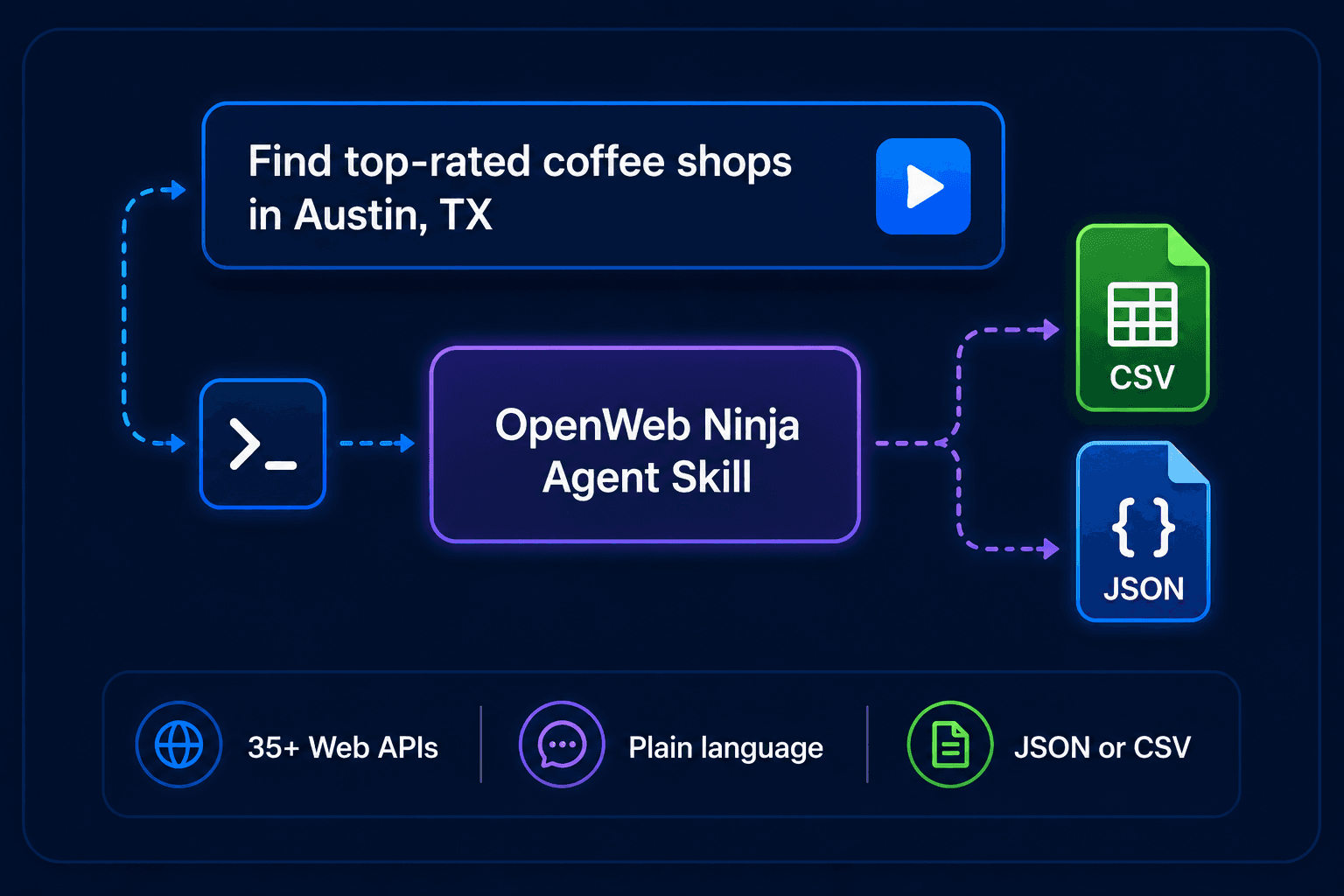
We built OpenWeb Ninja to make public web data accessible, but getting data out of an API still takes work. You need to find the right endpoint, wire up auth, handle pagination, and write output logic. For every new use case, you start again.
The agent skill connects your coding agent directly to 50+ OpenWeb Ninja APIs. Describe what you want in plain language, and your agent selects the right API, runs the script, and returns results as JSON or CSV, ready to use, share, or pipe into your workflow.
What you can do with it
Lead generation
Find businesses, emails, phones, and social profiles by location or industry.
Market research
Search news, forums, reviews, and product listings across the web.
Competitor analysis
Scrape websites, compare pricing, and monitor reviews at scale.
Job & talent research
Search job listings, salary data, and company profiles.
Finance & real estate
Pull stock quotes, property listings, and Zillow estimates.
GEO tracking
Monitor how AI search engines (ChatGPT, Gemini, Copilot) reference your brand or topic.
Example prompts
Extract all dental clinics in Los Angeles with emails, phone numbers, and websites, and sync them to Airtable.
Analyze the top 20 wireless earbuds on Amazon US with full details and top 50 reviews per product, generate a sentiment summary, and save to S3.
Fetch the latest 50 "data engineer" jobs in Germany with salary estimates and company details, and export to Google Sheets.
Find 100 apartments for rent in New York under $3,000, including commute times to Times Square, and export to CSV.
Analyze sentiment for Spotify using the latest 50 reviews from Trustpilot and Glassdoor, and output a structured JSON report.
How it works
The skill works with almost any agent framework (Claude Code, Cursor, Codex, Gemini, and more) and gives your agent full knowledge of every API: endpoints, parameters, pagination, rate limits, and output formats. When you make a request, your agent picks the right API, constructs the call, and runs the script. No configuration needed per-request. The examples below use Claude Code, but the flow is the same in any framework.
Under the hood, each API has its own scrape.js with full CLI support, so you can also run scripts directly from the terminal for scheduled jobs or automation pipelines.
# Ask your agent naturally
> "Find Italian restaurants in Chicago with emails"
> "Get the latest news about OpenAI"
> "Search Amazon for standing desks under $500, export to CSV"
# Or run scripts directly
node --env-file=.env apis/local-business-data/scrape.js \
--query "plumbers" --contacts --format csv
50+ APIs across 13 categories
- Local & Maps
- Local Business, Local Rank Tracker, Waze, EV Charge Finder, Driving Directions
- E-commerce
- Amazon, Product Search, Walmart, Costco
- Jobs & Salaries
- JSearch, Job Salary Data, Glassdoor
- Reviews
- Trustpilot, Yelp
- News & Forums
- Real-Time News, Forums Search
- Search
- Web Search, Image Search, Lens, Shorts, Autocomplete, Reverse Image
- Social & Contacts
- Website Contacts, Social Links, Email Search
- Real Estate
- Zillow
- Finance
- Real-Time Finance Data
- Events & Books
- Events Search, Books Data
- Apps
- Play Store Apps
- AI Search / GEO
- ChatGPT, Gemini, Copilot, AI Overviews, Google AI Mode
- Web
- Web Unblocker
Output anywhere
Results aren't limited to local files. The skill supports a range of output destinations out of the box.
Getting started
You need a RapidAPI key with subscriptions to the APIs you want to use, or an OpenWeb Ninja API key. Then install the skill and add your key to a .env file. That's it. The steps below use Claude Code; Cursor, Codex, Gemini, and other agents follow the same pattern in their own skills or tools directory.
# 1. Add to your agent skills dir (Claude Code shown)
~/.claude/skills/openwebninja/
# 2. Install dependencies
cd ~/.claude/skills/openwebninja && npm install
# 3. Add your API key to .env
RAPIDAPI_KEY=your_key_here
Agent Skill or MCP server?
Want plain-language access inside a chat client like Claude Desktop or Cursor? The OpenWeb Ninja MCP server covers that. Here is how the two compare.
| Agent Skill | MCP server | |
|---|---|---|
| Best for | Scripted runs and scheduled pipelines | Chatting with an agent (Claude Desktop, Cursor, Cline) |
| Setup | Install the skill, add an API key | One config block, no code |
| Where it runs | Claude Code and other agent frameworks | Any MCP-compatible client |
| Output | JSON or CSV files, plus webhooks, Sheets, S3 | Answers in chat; the agent chains tools |
| Use it when | You want repeatable scripts and exports | You want plain-language access in your assistant |
Frequently asked questions
What is the OpenWeb Ninja Agent Skill?
A skill that connects coding agents such as Claude Code, Cursor, Codex, and Gemini to OpenWeb Ninja web data APIs. You describe what you want in plain language and the agent runs the right API and returns JSON or CSV.
Which agents does it work with?
Claude Code, Cursor, Codex, Gemini, and most agent frameworks that support skills or tools.
Is the Agent Skill free?
The skill is free. You need a RapidAPI key or an OpenWeb Ninja API key, and every API includes a free tier.
How do I install it?
Add the skill to your agent skills directory, run npm install, and put your API key in a .env file.
Where can results go?
Local JSON or CSV, plus webhooks (Zapier, Make, n8n), Airtable, Slack, AWS S3, FTP, and Google Sheets.
Try it with OpenWeb Ninja APIs
Browse the full API catalog. Each API works out of the box with the OpenWeb Ninja skill.
Browse APIs