
Guide
September 25, 2026 · 12 min read
What Is a CAPTCHA? How They Work and How to Get Past One
The puzzle is the last step of a check that started before the page loaded. What modern CAPTCHAs look at, what a block looks like from code, why a retry with a fresh identity clears most of them, and when a solving service is the right tool.

Adam Ben-Ayoun
CTO, OpenWeb Ninja
CAPTCHA · Anti-Bot · Web Scraping
What a CAPTCHA is
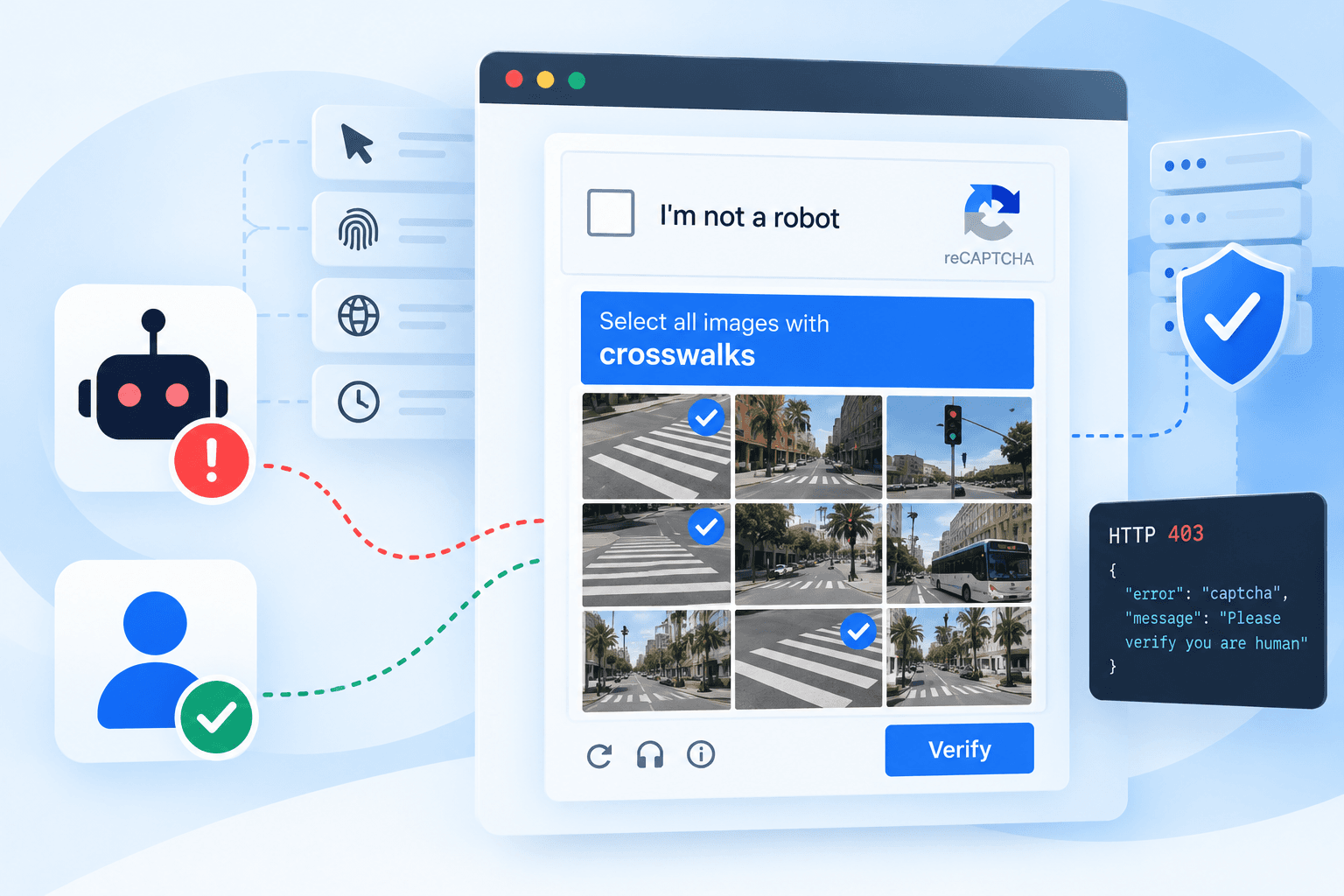
A CAPTCHA is a test a website uses to decide whether a visitor is a person or a program. The name is an acronym: Completely Automated Public Turing test to tell Computers and Humans Apart. It was coined in 2000 by Luis von Ahn, Manuel Blum, Nicholas Hopper and John Langford at Carnegie Mellon University, and the first versions asked you to read distorted text that software of the time could not.
That premise did not last. A 2023 study from UC Irvine, presented at USENIX Security, measured 1,400 people solving the CAPTCHAs on popular websites and compared them with published bot results. Humans took 9 to 15 seconds on distorted text and got it right 50 to 84% of the time. Bots answered in under a second at 99.8%.
So the modern CAPTCHA is less a puzzle and more a risk check. By the time you see a checkbox or a grid of traffic lights, the site has already scored your connection, your browser and your session. The puzzle is what happens when the score comes back low. Most visitors never see one at all.
In one line: a CAPTCHA is a gate that opens for visitors a site trusts and asks everyone else for proof. Getting past it is mostly about looking trustworthy, and only sometimes about answering the question.
The main types of CAPTCHA
The list below runs roughly from oldest to newest. What they have in common in 2026 is that almost all of them return a token or cookie when you pass, and the website checks that token on its server before it lets the request through.
| Type | Examples | What the visitor does | What passing produces |
|---|---|---|---|
| Text and image recognition | Distorted characters, "type the word" | Reads and types | A form field value |
| Checkbox | reCAPTCHA v2 "I’m not a robot" | Clicks; a grid follows only if the score is low | g-recaptcha-response token |
| Image grid | reCAPTCHA v2 challenge, hCaptcha | Selects the squares with buses, bikes, crosswalks | Token |
| Score-based, invisible | reCAPTCHA v3, reCAPTCHA Enterprise | Nothing. The site gets a score from 0.0 (bot) to 1.0 (human) and picks its own threshold; Google suggests starting at 0.5 | Token plus score |
| Browser challenge | Cloudflare Turnstile, Cloudflare challenge pages, AWS WAF Challenge | Usually nothing: the page runs small JavaScript checks (proof of work, browser API probes) and sometimes shows a checkbox | Token, or a clearance cookie such as cf_clearance or aws-waf-token |
| Puzzle and slider | GeeTest, Arkose Labs | Drags a piece, rotates an image, picks an icon | Token |
| Proof of work | Friendly Captcha | Nothing: the device solves a small computation | Token |
| Audio | The accessibility fallback on most of the above | Listens and types | Same token as the visual version |
| Device attestation | Private Access Tokens (iOS 16, macOS 13 and later) | Nothing: the operating system vouches for the device | A signed token, no puzzle |
The direction is clear: less puzzle, more background check. Cloudflare estimated in 2021 that the average CAPTCHA took a person 32 seconds, which across the web added up to about 500 human years lost every day. The invisible types exist to get that number close to zero for trusted visitors.
What the invisible score looks at
Vendors do not publish their models, but their documentation names the inputs, and they fall into five groups:
- IP reputation. Datacenter ranges, addresses with recent abuse, and heavily shared exits score lower than a home connection.
- Request pattern. How many requests, how fast, how evenly spaced, and whether they skip the pages a person would load first.
- Browser fingerprint. Headers, TLS handshake, JavaScript APIs, canvas rendering, and the telltale properties of automated browsers. Turnstile describes its checks as proof of work, probing for web APIs and detecting browser quirks.
- Session history. Cookies from earlier visits that passed. A session that has behaved well before is trusted more.
- Behavior. Mouse movement, scrolling, typing rhythm and time on page, where the page can observe them.
Which of these matters most changes from site to site, and that is the practical point for anyone writing code. On some sites the IP and session decide almost everything, and switching HTTP clients changes nothing. On others the TLS handshake of your client is exactly what the check keys on. You find out which lever a site uses by changing one thing at a time.
What a CAPTCHA looks like from code
In a browser a CAPTCHA is obvious. To a script it is just another response, and often not the one you expect. These are block responses we have logged while collecting public data, as they arrive over plain HTTP:
| Protection | Status code | What the body looks like |
|---|---|---|
| Google Search | 302 to /sorry/, then 429 | An "unusual traffic from your computer network" page with a reCAPTCHA |
| Cloudflare managed challenge (a job board) | 403 | A 38 KB "Security Check" page, a cf-mitigated: challenge header, and no checkbox to click |
| AWS WAF (a review site) | 403 | A 991-byte "Verifying Connection" page that loads a challenge script |
| Akamai (a large retailer) | 200 | A 2.5 KB page reading "Powered and protected by Akamai", with no product data in it |
| Cloudflare interstitial (many sites) | 403 | A page titled Just a moment.... Two of the pages we read while researching this post, including Cloudflare's own explainer on CAPTCHAs, answered our script this way. |
Two lessons come out of that table. First, the status code is not a reliable block signal: the Akamai page is a 200, and code that checks only for 403 will store the challenge page as if it were data. Detect success by the content you expect (a product title, a results container), not by the absence of an error.
Second, the opposite mistake is just as easy. The job board's real results page includes Cloudflare's challenge script on every load, so a check like "page contains challenge-platform" flags good pages as blocked. Match on something that appears only on the block page, such as its title.
Four reasons you get blocked, and what fixes each
Before choosing a fix it helps to know what kind of block you are looking at. They look alike from the outside and respond to completely different treatments.
| Kind of block | What the site is saying | What fixes it |
|---|---|---|
| Rate limit | This IP, session or account sent too many requests in a short window | Fewer requests per identity: slow down on the same IP, or spread the same volume across more IPs. A limit tied to an account or API key follows you to every IP, so there only waiting helps |
| Reputation | This IP or session looks automated, whatever its volume | A different identity: new IP, new session. Waiting rarely helps |
| Challenge | Prove you are a browser or a person | Passing the challenge: a real browser, or a solving service for the token |
| Authentication | This content needs a signed-in account | A valid session. A solved CAPTCHA will not help |
The first two rows are the ones people mix up. A rate limit is a counter: it is kept per IP, session or account, and it resets on its own once that identity sends less. A reputation block is a verdict: even one request from that IP can be refused, and the verdict does not reset in the time a retry waits. Moving to a new IP gets you past both, which is why rotation looks like a universal fix. The difference shows when you cannot rotate, for example behind an account or API key, where only slowing down works.
The last row is easy to miss. On one map service we tested, we minted a valid reCAPTCHA token with the correct site key and sent the same request with and without it. Both got the identical 403: the request was rejected before anything looked at the token. What the endpoint wanted was a signed-in session. Solving the CAPTCHA faster would never have fixed it.
Retries: the first fix, if you retry differently
Most blocks you hit while collecting public data are reputation blocks, and the cheapest way past one is to come back as someone else. That is why a retry works so often, and why a naive retry (same IP, same cookies, a second later) rarely does. A few rules cover most cases:
- Change the identity, not just the timing. A blocked IP or session tends to stay blocked for a while. A fresh one often passes on the first try.
- Keep what works. A session that just succeeded is usually the best bet for the next request, so do not rotate it away.
- Back off only for real rate limits. If errors start above a certain request rate and stop when you slow down, add exponential backoff with jitter. Otherwise waiting mostly costs time.
- Do not wait out a stuck challenge. A challenge page tends to clear within seconds or not at all. Reload, or start over on a new identity.
- Cap the attempts. Three or four tries per request keeps a hard block from turning into an endless loop and a large proxy bill.
How much the identity matters: on a job board behind Cloudflare, every exit we tried in one IP range passed, and every exit in another got a challenge page that never resolved, however long we waited. Nothing else about the requests differed.
A retry loop that follows those rules
This is the pattern in about 40 lines of code: detect the block by content, change the exit on every attempt, back off exponentially with jitter, and stop after a fixed number of tries.
# fetch_with_retries.py
import random
import time
import requests
BLOCK_MARKERS = ("captcha", "unusual traffic", "verify you are human", "just a moment")
def looks_blocked(resp):
# A block is not always a 403: challenge pages often come back as 200
if resp.status_code in (403, 429, 503):
return True
head = resp.text[:5000].lower()
return any(marker in head for marker in BLOCK_MARKERS)
def fetch(url, proxies, max_attempts=4):
for attempt in range(max_attempts):
proxy = random.choice(proxies) # a new exit per attempt, not the same one again
try:
resp = requests.get(
url,
proxies={"http": proxy, "https": proxy} if proxy else None,
headers={"User-Agent": "Mozilla/5.0 (Macintosh; Intel Mac OS X 10_15_7) "
"AppleWebKit/537.36 (KHTML, like Gecko) Chrome/140.0.0.0 Safari/537.36"},
timeout=15,
)
if not looks_blocked(resp):
return resp
print(f"attempt {attempt + 1}: blocked ({resp.status_code})")
except requests.RequestException as exc:
print(f"attempt {attempt + 1}: {type(exc).__name__}")
time.sleep(2 ** attempt + random.random()) # 1s, 2s, 4s... plus jitter
return None
if __name__ == "__main__":
proxies = [None] # replace with your proxy URLs, e.g. "http://user:pass@host:port"
print(fetch("https://httpbin.org/status/429", proxies, max_attempts=3))
ok = fetch("https://httpbin.org/html", proxies)
print(ok.status_code, len(ok.text))
Output, run on September 25, 2026 (the first URL always answers 429, the second is a normal page):
attempt 1: blocked (429)
attempt 2: blocked (429)
attempt 3: blocked (429)
None
200 3739
The marker list is a starting point. For a real target, replace it with a positive check for the element you are after, since a generic keyword list will miss the Akamai-style 200 page above.
When retries are not enough: CAPTCHA solving services
Retries stop working in a few recognizable situations. The challenge appears on every IP you try, including clean residential ones. The page puts a CAPTCHA in front of a specific action, like a search form or a checkout step, no matter who you are. Or your volume is high enough that a pool of fresh identities costs more than proving yourself once. That is where a CAPTCHA solving service fits.
For token-based CAPTCHAs, which is almost all of them now, a solver does not look at your page. It works from two values you give it:
- Find the site key and page URL. The site key is public, in the page's HTML as a
data-sitekeyattribute or in the challenge script's URL. - Submit a task. The service returns a task ID immediately.
- Poll for the result. Depending on the type, the answer is ready in a few seconds to about a minute.
- Use the token. Put it in the field the site expects (for reCAPTCHA,
g-recaptcha-response) and submit the form or request as the page would.
Full-page challenges work differently. For a Cloudflare challenge page, a solver returns a cf_clearance cookie and the User-Agent it was earned with, and both are bound to the IP that solved it. You give the solver your proxy, then send your own requests through that same proxy with that same User-Agent.
How solving services charge
There are two pricing models, and which one is cheaper depends almost entirely on your volume. Most services charge per solve, usually quoted per 1,000, with image CAPTCHAs cheapest and reCAPTCHA or Cloudflare types costing more. You pay for exactly what you use, which suits spiky or low volume.
The other model charges a flat monthly fee for a number of threads, where a thread is one solve in progress at a time, and no per-solve fee. The cost is fixed however many CAPTCHAs you push through, so it gets cheaper per solve the busier you keep it. As a rough guide, at 20 seconds per solve one thread handles about 3 solves a minute, or around 4,300 a day if you keep it busy around the clock.
One option: CaptchaAI
CaptchaAI is a thread-based service that uses automated solving rather than human workers. Every plan includes unlimited solves:
| Plan | Price per month | Concurrent threads |
|---|---|---|
| Basic | $15 | 5 |
| Advance | $90 | 50 |
| Enterprise | $300 | 200 |
It covers reCAPTCHA v2 and v3 (including Enterprise), Cloudflare Turnstile and challenge pages, GeeTest v3 and image CAPTCHAs, and new accounts can ask support for trial threads.
Use the token quickly. A reCAPTCHA token is valid for about two minutes and only once, so solve right before you submit, not in a batch ahead of time. The same goes for the other types: the AWS WAF token we tested stopped working after about five minutes, and a cf_clearance cookie only works from the IP and User-Agent that earned it.
Choosing an approach
Put together, the order that tends to cost least is: do not trigger the check, then retry with a new identity, then solve. And it is worth asking early whether you need the page at all, or just the data on it.
| Your situation | A sensible first move |
|---|---|
| 429s that start only above a certain request rate | Lower the rate per IP: slow down, or spread requests across more IPs, with exponential backoff and jitter on each retry |
| Blocks that follow an IP or session | Rotate to a new exit and a fresh session on every failure; keep sessions that succeed |
| A challenge page that clears in a real browser | Fetch with a real browser, reuse the clearance cookie for as long as it lasts |
| A CAPTCHA on every identity, or in front of a form you must submit | A solving service such as CaptchaAI |
| A 403 that no token changes | Check whether the content needs a signed-in session; a solver will not help |
| You need structured data from a site many people already collect | A data API that handles the blocks, so there is no CAPTCHA on your side at all |
The last row is where we work. Our APIs return structured data from Google, Amazon, Google Maps, job boards and 50+ other sources, and the blocks and retries are handled on our side. For sites we do not cover, the Web Unblocker API fetches any URL through rotating proxies with automatic retries, optional JavaScript rendering, and success and failure selectors so a challenge page is not mistaken for a result. For Google specifically, the Real-Time Web Search API returns results as JSON, and queries run in real time with no caching.
Limitations and responsible use
- Everything above is about public pages. A CAPTCHA in front of a login, someone else's account or a paywall is a different situation, and getting past it does not change what you are allowed to access.
- A block is also a signal about load. Keep request rates reasonable, especially on small sites, and back off when a site tells you to.
- Our numbers come from our own traffic on specific sites and dates. Anti-bot systems change often, and the same site can behave differently a month later. Measure on your own target before building on any figure here, ours included.
- CAPTCHAs are a known accessibility barrier for people with visual and cognitive impairments, which is part of why the industry is moving to invisible checks. If you run a site, prefer the invisible modes.
FAQ
Can bots solve CAPTCHAs?
+
Yes, and often better than people. A 2023 UC Irvine study published at USENIX Security compared human results with published bot results: distorted-text CAPTCHAs took humans 9 to 15 seconds at 50 to 84% accuracy, while bots solved them in under a second at 99.8%. That is why modern systems score the visitor first and use the puzzle only as a last step.
Why do I get CAPTCHAs when I browse normally?
+
The risk score is mostly about your connection and session, not about you. A VPN or a shared office or mobile IP with a poor reputation, freshly cleared cookies, a privacy extension that blocks the challenge script, or a burst of fast requests can all lower the score enough to trigger a visible challenge.
Should I retry or use a CAPTCHA solver first?
+
Retry first, but retry with a different identity: a new IP, and a new session or cookie jar. In our measurements a blocked session almost never recovered on its own, while a fresh one often passed. Move to a solver when the challenge appears on every identity you try, or when the page requires a token to submit a form.
How long does a solved CAPTCHA token last?
+
Not long. A reCAPTCHA response token is valid for about two minutes and can be verified once. A Cloudflare cf_clearance cookie is bound to the IP and User-Agent that earned it. The AWS WAF token we tested stopped working after about five minutes. Solve close to the moment you submit, and reuse the same proxy and User-Agent.
How much do CAPTCHA solving services cost?
+
There are two pricing models. Most services charge per solve, with different rates per CAPTCHA type. Thread-based services such as CaptchaAI charge a flat monthly fee for a number of simultaneous solves, with no per-solve cost: its Basic plan is $15 a month for 5 threads, and its Enterprise plan $300 a month for 200 threads.
Is it legal to bypass a CAPTCHA?
+
It depends on what you access and where you are. Collecting publicly available data is a long-established practice, but a CAPTCHA does not make data public or private: logins, other people’s accounts and terms you have agreed to still apply. Respect rate limits, do not use solvers to create accounts or abuse forms, and get legal advice for your jurisdiction and use case.

Written by
Adam Ben-Ayoun
CTO at OpenWeb Ninja
Adam leads engineering at OpenWeb Ninja, building the APIs and infrastructure that make public web data accessible to developers and AI agents.
Connect on LinkedInGet the data without the CAPTCHA
50+ real-time data APIs that handle proxies, retries and blocks for you, plus a Web Unblocker for any other URL. Every API has a free plan, no credit card required.
Try the Web Unblocker API