
Product
June 3, 2026 · 4 min read
Introducing the OpenWeb Ninja MCP Server
Connect any MCP-compatible AI agent to 50+ OpenWeb Ninja APIs through a single connection. Real-time web search, local business, jobs, e-commerce, real estate, finance, and more, as tools your agent can call.

Adam Ben-Ayoun
CTO, OpenWeb Ninja
MCP · AI Agents · Model Context Protocol
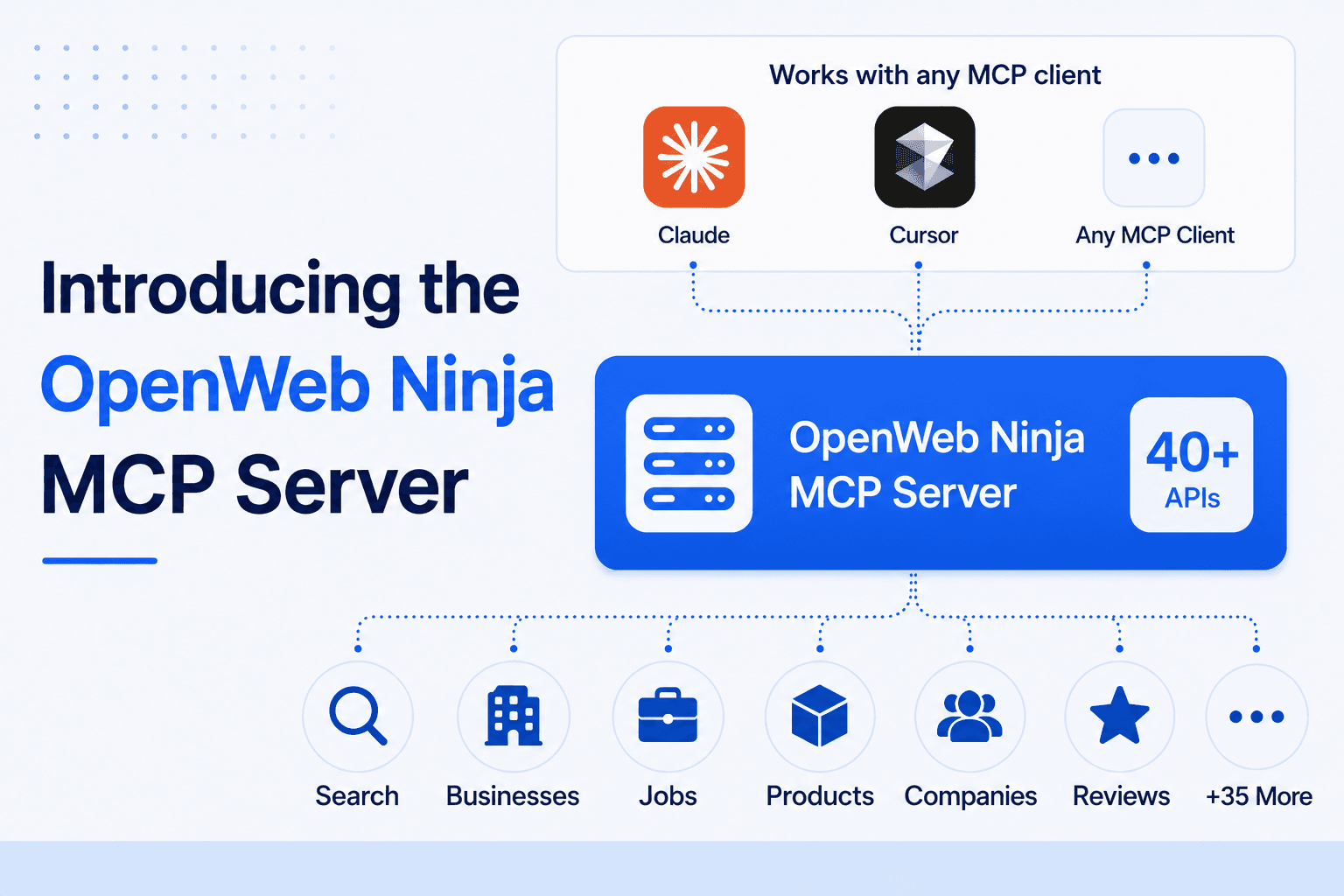
AI agents are most useful when they can reach real, live data. The Model Context Protocol (MCP) is the standard for connecting agents to external tools, and today we are releasing an official OpenWeb Ninja MCP server.
Add it once with your API key, and any MCP client (Claude Desktop, Claude Code, Cursor, Cline, Windsurf, and others) gets real-time access to OpenWeb Ninja's APIs as tools. Describe what you want in plain language; the agent picks the right API, calls it, and answers. It can also chain several APIs in one task, and subscribe to an API's free tier on demand.
What you can do with it
Lead generation
Find businesses by location or industry, then enrich with emails, phone numbers, and social profiles.
Market research
Search live Google results, news, forums, and reviews to answer open questions with sources.
Price tracking & comparison
Pull product data from Amazon, eBay, Walmart, Costco, and Wayfair, and compare across them.
Jobs & talent research
Search job listings, salary estimates, and company profiles from JSearch and Glassdoor.
Finance & real estate
Get stock and crypto quotes, property listings, and Zillow or Redfin valuations.
AI search monitoring
See how ChatGPT, Gemini, Copilot, and Google AI Overviews reference your brand or topic.
Example prompts
Compare the price of the Sony WH-1000XM5 on Amazon versus eBay, and tell me which is cheaper right now.
Find 50 dentists in Austin, TX with phone numbers and emails, then find their LinkedIn pages.
What are people saying about our brand on Trustpilot and Reddit this week?
Pull the latest remote site reliability engineer jobs in the US with salary estimates.
What is the best CRM software in 2026? Use live search results and cite your sources.
How it works
The server exposes one tool per API (50+ of them), plus a subscribe tool. Each tool takes an operation (which endpoint to call) and args (the parameters). The schemas are generated directly from our OpenAPI specs, so the tools always match the live APIs.
Arguments are validated and type-coerced before the request is sent, and responses return the OpenWeb Ninja data payload plus a request_id. A single call to the jsearch tool looks like this:
{
  "operation": "search",
  "args": { "query": "site reliability engineer remote", "country": "us" }
}
50+ tools, one per API
- Search & discovery
- Web Search, News, Forums, Images, Video, Lens, Reverse Image, Autocomplete, AI Overviews, Google AI Mode, Social Links
- Local & maps
- Local Business, Yelp, Trustpilot, Local Rank Tracker, Driving Directions, Waze, EV Charge Finder
- Jobs & companies
- JSearch, Job Salary Data, Glassdoor
- Commerce & product
- Amazon, Product Search, Walmart, eBay, Costco, Wayfair, Books, Play Store Apps
- Real estate
- Zillow, Redfin
- Finance & events
- Real-Time Finance Data, Events
- Contact & enrichment
- Website Contacts, Email Search
- AI relays & utility
- ChatGPT, Gemini, Copilot, Web Unblocker
Plus a subscribe tool that adds an API's free tier on demand, so the agent can reach a new data source mid-task.
Set it up
You need an OpenWeb Ninja API key. The server runs via npx, so there is nothing to install globally.
Claude Desktop (claude_desktop_config.json)
{
  "mcpServers": {
    "openwebninja": {
      "command": "npx",
      "args": ["-y", "@openwebninja/mcp-server"],
      "env": { "OPENWEBNINJA_API_KEY": "your-api-key" }
    }
  }
}
Claude Code
claude mcp add openwebninja \
  -e OPENWEBNINJA_API_KEY=your-api-key \
  -- npx -y @openwebninja/mcp-server
Cursor, Cline, Continue, Windsurf, and other clients: use the same command / args / env shape in the client's MCP config.
MCP server or agent skill?
Both connect AI agents to our APIs. Use the MCP server inside a chat client; use the OpenWeb Ninja agent skill for CLI scripts and scheduled pipelines.
| MCP server | Agent skill | |
|---|---|---|
| Best for | Chatting with an agent (Claude Desktop, Cursor, Cline) | Scripted runs and scheduled pipelines |
| Setup | One config block, no code | Install the skill, add an API key |
| Where it runs | Any MCP-compatible client | Claude Code and other agent frameworks |
| Output | Answers in chat; the agent chains tools | JSON or CSV files, plus webhooks, Sheets, S3 |
| Use it when | You want plain-language access in your assistant | You want repeatable scripts and exports |
Frequently asked questions
What is the OpenWeb Ninja MCP server?
It is the official Model Context Protocol server for OpenWeb Ninja. It connects any MCP-compatible AI agent to 50+ OpenWeb Ninja web data APIs as tools, so the agent can run web search and pull local business, jobs, e-commerce, real estate, and finance data through one connection.
Which AI clients does it work with?
Any MCP-compatible client, including Claude Desktop, Claude Code, Cursor, Cline, Continue, and Windsurf.
Do I need to install anything?
No. The server runs through npx, so nothing is installed globally. You add it to your MCP client config with your API key.
Is the MCP server free?
Yes. The server is free, and every OpenWeb Ninja API includes a free tier, so you can start without a credit card.
How does my agent authenticate?
Set your OpenWeb Ninja API key as the OPENWEBNINJA_API_KEY environment variable in the MCP config. The server sends it as the x-api-key header on every request.

Written by
Adam Ben-Ayoun
CTO at OpenWeb Ninja
Adam leads engineering at OpenWeb Ninja, building the APIs and infrastructure that make public web data accessible to developers and AI agents.
Connect on LinkedInConnect your agent to live web data
Add the OpenWeb Ninja MCP server to your client and give any AI agent real-time access to 50+ web data APIs. The free plan needs no credit card.