
Announcement
September 8, 2026 · 9 min read
Google Search Links Now Go Through /goto Redirects. Here Is What Changed.
Result links on signed-out Google search pages now point at /goto?url=CAES..., a signed redirect token, instead of the destination site. What we measured, what it means if you parse Google yourself, and why nothing changes for OpenWeb Ninja API users.

Adam Ben-Ayoun
CTO, OpenWeb Ninja
Google Search · SERP · Web Scraping
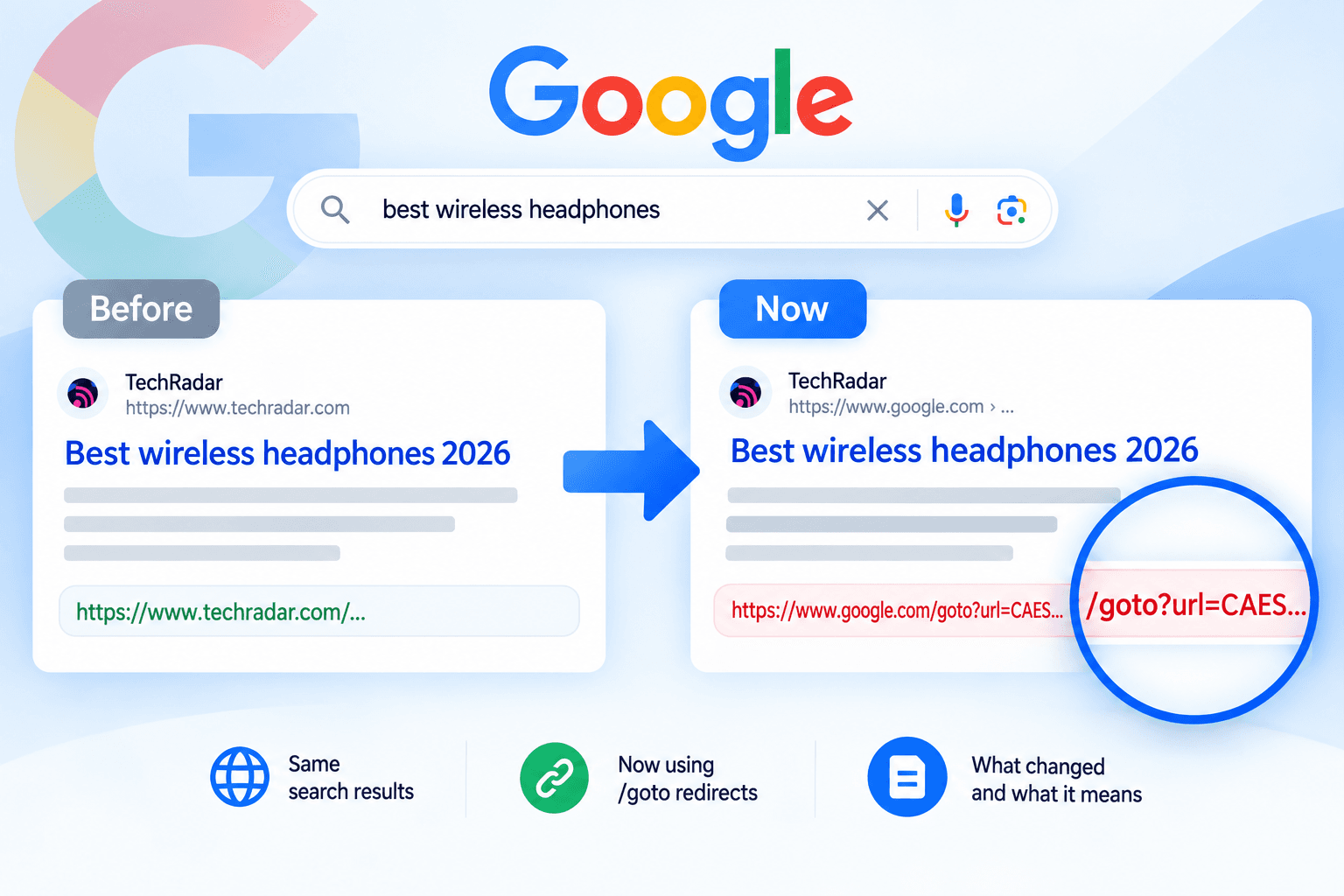
/goto?url=CAES... redirect on google.com.What Google changed
For as long as most of us have parsed Google, the title link of an organic result was the destination URL. Google tracked the click separately, first through /url?q=... wrappers in the no-JavaScript layout and later through a ping attribute that carried the destination as a plain url= parameter. Either way the real URL was right there on the anchor.
In the last week of August 2026 that stopped being true for signed-out sessions. The anchor now looks like this (captured on September 8, 2026, for the query "best running shoes for men", gl=us, hl=en, desktop Chrome user agent, a session cookie and nothing else):
<!-- signed-out session, first organic result -->
<a jsname="UWckNb" class="zReHs"
href="/goto?url=CAESdwHrOzAVz43hMAeqrTofMsWhqg3Gzn68hjNDWx6luLzks6PNBdRuoICit4lm8NT5tTBIGspxJSUiz_02RjDmdS0Kd4EiW6kJwnfyKUjgBDYUBitY2jG1KMkn16U2gMef4qnATjxNRPtKg8cgWNObekYdvTWOtOZt"
data-ved="2ahUKEwi1jO765d6WAxWvMjQIHfIXB94QFnoECCYQAQ"
ping="/url?sa=t&source=web&rct=j&opi=89978449&url=CAESdwHrOzAVz43hMAeqrTofMsWhqg3Gzn68hjNDWx6luLzks6PNBdRuoICit4lm8NT5tTBIGspxJSUiz_02RjDmdS0Kd4EiW6kJwnfyKUjgBDYUBitY2jG1KMkn16U2gMef4qnATjxNRPtKg8cgWNObekYdvTWOtOZt&ved=2ahUKEwi1jO765d6WAxWvMjQIHfIXB94QFnoECCYQAQ&uoh=1">
<h3 class="LC20lb MBeuO DKV0Md">The 15 Best Running Shoes of 2026</h3>
</a>
For comparison, the same result fetched a minute earlier from a signed-in Chrome session still had the old shape:
<!-- signed-in session, same result -->
<a href="https://www.runnersworld.com/gear/a19663621/best-running-shoes/"
ping="/url?sa=t&source=web&rct=j&opi=89978449&url=https://www.runnersworld.com/gear/a19663621/best-running-shoes/&ved=2ahUKEwiA98Pg5N6WAxXjGjQIHRmkBWwQFnoECCIQAQ">
Three things changed at once. The href is a relative path on google.com, so a naive parser now returns Google as the source of every result. The ping beacon carries the same token instead of the destination, so the old trick of reading url= out of it returns nothing useful. And the token is different on every page load, so it cannot be used to recognize a result you have seen before.
Where the redirect shows up
We fetched the same query across Google's result surfaces on September 8, 2026, each as a signed-out session with only a NID cookie, and counted the links. Every organic title link on every page was a /goto redirect, the vertical surfaces were the same, and no page had a single link pointing directly at a non-Google site:
| Surface | Request | Result title links that are /goto redirects |
|---|---|---|
| Web, desktop, page 1 | /search?q=... | 8 of 8 |
| Web, desktop, page 2 | &start=10 | 10 of 10 |
| Web, mobile user agent | /search?q=... | all (17 result cards) |
| Forums | &udm=18 | 9 of 10 (the 10th was a support.google.com thread) |
| Videos | &udm=7 | 10 of 10 |
| Shorts | &udm=39 | all (12 video cards) |
| Images | &udm=2 | all (76 image sources) |
| News | &tbm=nws | all (10 headlines) |
| Web with an AI Overview | /search?q=what+is+photosynthesis | 7 of 7 |
Each result card repeats its token on more than one anchor: the title, the thumbnail and the favicon block all carry the same /goto value, so the desktop page above had 27 redirect anchors for its 8 results. Counting distinct tokens gives the number of results.
Who gets which layout depends on the session, not on the query. In our tests a signed-in Chrome profile got direct links and a token-carrying ping; a signed-out session with a valid NID cookie got /goto everywhere; and a request with no cookies at all got Google's 93 KB results shell with no organic results in it, which is a separate, older behavior. Anything that fetches Google over HTTP with a session cookie, which is how most SERP scrapers work, is in the second group.
How the redirect behaves
We probed the endpoint directly with curl, with no cookies. The token below is real and resolved at the time of writing; Google may expire it at some point.
# a GET returns the destination in the Location header
$ curl -s -o /dev/null -D - "https://www.google.com/goto?url=CAESdwHrOzAVz43hMAeqrTofMsWhqg3Gzn68hjNDWx6luLzks6PNBdRuoICit4lm8NT5tTBIGspxJSUiz_02RjDmdS0Kd4EiW6kJwnfyKUjgBDYUBitY2jG1KMkn16U2gMef4qnATjxNRPtKg8cgWNObekYdvTWOtOZt"
HTTP/2 302
location: https://www.runnersworld.com/gear/a19663621/best-running-shoes/
cache-control: private
content-length: 260
set-cookie: NID=534=...; expires=Wed, 10-Mar-2027 10:43:40 GMT; path=/; domain=.google.com; HttpOnly
# a HEAD does NOT redirect
$ curl -s -I "https://www.google.com/goto?url=CAESdwHrOzAVz43hMAeqrTofMsWhqg3Gzn68hjNDWx6luLzks6PNBdRuoICit4lm8NT5tTBIGspxJSUiz_02RjDmdS0Kd4EiW6kJwnfyKUjgBDYUBitY2jG1KMkn16U2gMef4qnATjxNRPtKg8cgWNObekYdvTWOtOZt"
HTTP/2 200
| Probe | Response |
|---|---|
GET /goto?url=<token>, no cookies | 302 with Location: <destination>. The response also sets a fresh NID cookie. |
HEAD /goto?url=<token> | 200, no Location header. Resolvers built on HEAD requests silently return nothing. |
| Same token from a different IP (a datacenter proxy) | 302 to the same destination. The token is not bound to the IP or the session that received the page. |
| Token with a few characters changed, or truncated | 400 Bad Request. The token is signed; it cannot be edited. |
/goto?url=https://example.com/ (a plain URL, old /url?q= style) | 400. The endpoint only accepts tokens. |
GET on the ping URL (/url?...&url=<token>) | 200, no redirect. It is a click beacon, not a way to resolve the link. |
| Tokens from pages we saved on September 4 | Still 302 on September 8. Tokens stay valid for at least four days. |
What is inside the token
Every token we saw starts with CAES. That is the URL-safe base64 of a protocol buffer whose first field is the integer 1 and whose second field is a byte string. Decoding the token above:
# decode_token.py
import base64
token = "CAESdwHrOzAVz43hMAeqrTofMsWhqg3Gzn68hjNDWx6luLzks6PNBdRuoICit4lm8NT5tTBIGspxJSUiz_02RjDmdS0Kd4EiW6kJwnfyKUjgBDYUBitY2jG1KMkn16U2gMef4qnATjxNRPtKg8cgWNObekYdvTWOtOZt"
raw = base64.urlsafe_b64decode(token + "=" * (-len(token) % 4))
print(len(raw), "bytes")
print(raw[:8].hex()) # 08 01 12 <len> ... = field 1 = 1, field 2 = bytes
print(b"http" in raw) # is the destination in there?
123 bytes
0801127701eb3b30
False
The 119-byte payload has no printable content and no URL in it. Unlike the /url?q= wrapper it replaces, the destination cannot be recovered from the token offline. On one page the 20 unique tokens ranged from 138 to 264 characters, and the same result got a different token on each of three consecutive loads (CAESdwHrOzAVz43h..., CAESdwHrOzAVc9pf..., CAESdwHrOzAVfBof...), all three resolving to the same runnersworld.com URL. Treat the token as a one-time click ticket, not as an identifier.
The real URL is still on the page
The anchor lost the destination, but the page did not. Google's results HTML embeds a large JSON data blob that its own JavaScript uses to render and instrument the page, and that blob still carries the destination next to the token. The tuple that ends with the escaped redirect is immediately followed by the tuple that opens with the real URL, the title and the snippet:
<!-- inside the page's server-rendered data blob, trimmed -->
...,"The 15 Best Running Shoes of 2026, Tested by Runner's World",null,"/goto?url=CAESdwHrOzAVz43hMAeqrTof...OtOZt"],
["https://www.runnersworld.com/gear/a19663621/best-running-shoes/","The 15 Best Running Shoes of 2026","For new runners we recommend a shoe like the Brooks Ghost or Nike Pegasus as a starting point. ...",1,"en","US",...
On the pages we captured this pairing covered 7 of 8 web results, 9 of 9 forum results and 6 of 7 organic results on the AI Overview page. The one result it misses on each web page is a YouTube video, and that URL is on the page too, in the data-curl and data-surl attributes of the inline video player. So a parser has two ways out: pair each token with the destination from the page itself, which costs no extra request, or follow the redirect with one GET per link.
What this means if you parse Google yourself
- Your
urlfield is probably wrong right now. Any extractor that reads the title anchor'shrefreturns/goto?url=..., and code that resolves relative links against the page origin returnshttps://www.google.com/goto?url=.... Check your output forgoogle.com/goto. - Regexes for
/url?q=andpingextraction no longer find a destination. On the pages we captured there were zerohref="/url?anchors, and thepingattribute carries the token. - Following redirects costs one request per result. Ten results means ten more round trips to google.com from your IP, each answered with a fresh cookie. Use GET, not HEAD, and do not follow the redirect past the
Locationheader. This is what that looks like in Python:
# resolve_goto.py
import requests
goto = "https://www.google.com/goto?url=CAESdwHrOzAVz43hMAeqrTofMsWhqg3Gzn68hjNDWx6luLzks6PNBdRuoICit4lm8NT5tTBIGspxJSUiz_02RjDmdS0Kd4EiW6kJwnfyKUjgBDYUBitY2jG1KMkn16U2gMef4qnATjxNRPtKg8cgWNObekYdvTWOtOZt"
# GET, not HEAD (HEAD answers 200 with no Location). Do not follow the redirect.
r = requests.get(goto, allow_redirects=False, timeout=10, stream=True)
print(r.status_code) # 302
print(r.headers.get("Location")) # the real destination
r.close()
302
https://www.runnersworld.com/gear/a19663621/best-running-shoes/
- Do not deduplicate or cache on the token. It changes on every page load. Deduplicate on the resolved URL.
- Prefer pairing from the page. The data blob approach resolves the whole page with zero extra requests and does not depend on Google keeping the redirect endpoint open to your IP. Keep redirect-following as the fallback for the few links whose destination is not on the page.
What this means for OpenWeb Ninja APIs: nothing to change
Our Google APIs fetch the same signed-out pages everyone else does. We resolve the redirect on our side, before the response leaves our servers, using the pairing described above, with the redirect followed server-side as a fallback for the few links whose destination is not on the page (Google Lens image matches, some video sources in AI Overviews). The url and link fields you get back are the destination URLs, exactly as before. No new fields, no parameter changes, no version bump.
This is live in the Real-Time Web Search API, the Real-Time SERP Data API, the Real-Time Forums Search API, the Real-Time Shorts Search API, the AI Overviews API, the Google AI Mode API, the Real-Time Lens Data API and the Reverse Image Search API. The same query that produced the redirect anchors above, through the Web Search API:
# own_search.py
import requests
r = requests.get(
"https://api.openwebninja.com/realtime-web-search/search",
params={"q": "best running shoes for men", "gl": "us", "hl": "en", "num": 10},
headers={"x-api-key": "YOUR_API_KEY"},
timeout=60,
)
data = r.json()["data"]
for item in data["organic_results"]:
print(item["rank"], item["url"])
The first result in the response, unedited apart from trimming the snippet:
{
"status": "OK",
"request_id": "820a831f-4b64-4fe6-b76c-f6fccaae1513",
"data": {
"organic_results": [
{
"title": "The 15 Best Running Shoes of 2026, Tested by Runner's World",
"url": "https://www.runnersworld.com/gear/a19663621/best-running-shoes/",
"snippet": "For new runners we recommend a shoe like the Brooks Ghost or Nike Pegasus as a starting point. ...",
"displayed_link": "www.runnersworld.com › Running Gear › Running Shoes",
"date": "Aug 3, 2026",
"domain": "www.runnersworld.com",
"video_thumbnail": "https://encrypted-tbn0.gstatic.com/images?q=tbn:ANd9GcTeuJAq8b9B__m_huqFUG5fvjQ8e2NPWNt0Hqf2OVN7aG4nzzWdTymmvA0&s",
"position": 1,
"rank": 1
},
... 9 more results, all with destination URLs
]
}
}

Written by
Adam Ben-Ayoun
CTO at OpenWeb Ninja
Adam leads engineering at OpenWeb Ninja, building the APIs and infrastructure that make public web data accessible to developers and AI agents.
Connect on LinkedInGoogle results as JSON, with the real URLs
The Real-Time Web Search API returns organic results, AI Overviews, People Also Ask and more for any query, country and language, with destination URLs resolved. Free tier included, no credit card required.
Real-Time Web Search API